TouchDesigner-GSOPs-Docs

Cubemap Render
Render splats in cubemap projection, for use in immersive environments.
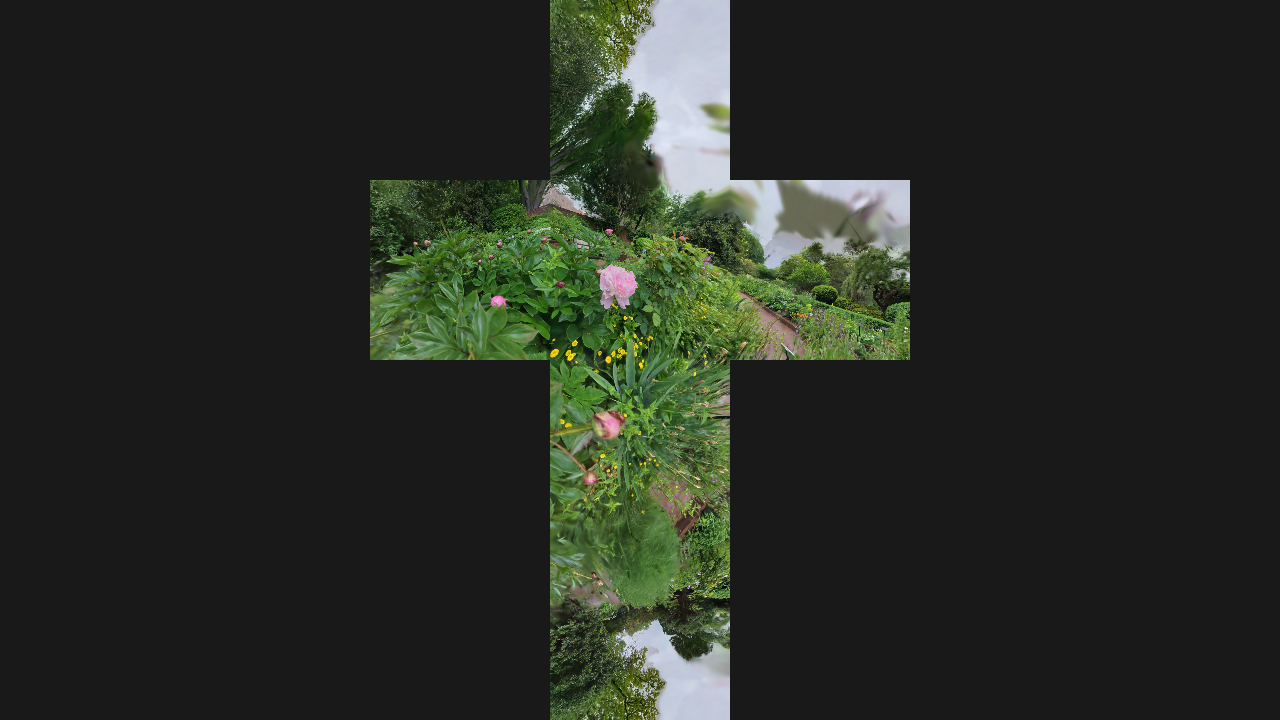
Operators
gsop_camera_viewport— or any TD camera (mind FOV and far clip settings)gsop_splat_scenegsop_splat_geo_cubemap- renderTOP
Process
- Drop the Splat Scene into your network and press ‘Init Render Network’
- Point
gsop_splat_sceneto a.plyor.spzfile - Delete the auto-created
gsop_splat_geoand drop agsop_splat_geo_cubemap - Set the RenderTOP “Render Mode” parameter to “Cubemap” and make sure the resolution is square and lowish (e.g. 1024x1024)
Notes
- Watch your resolution. Cubemap rendering is heavier than standard rendering, so be careful and save often.
- Relighting, bokeh and motion blur not yet supported in this render mode.
- You can visualize easily by applying the render to a box as the Color Map (set tex coordinates as Cube Map Inside).
- Can also use with a Projection TOP to convert to equirectangular, or as a projector Light source.
See also the Splat Geo Cubemap operator reference.